Prompt Library for ChatGPT
As AI tools like ChatGPT become a regular part of everyday workflows, prompts are emerging as a key way users interact with these systems. Over time, users create and refine prompts to get more reliable and consistent results.
This project focuses on designing a system to better structure, organize, and reuse prompts, making them easier to manage as part of ongoing workflows.
Prompts Are Hard to Find and Reuse
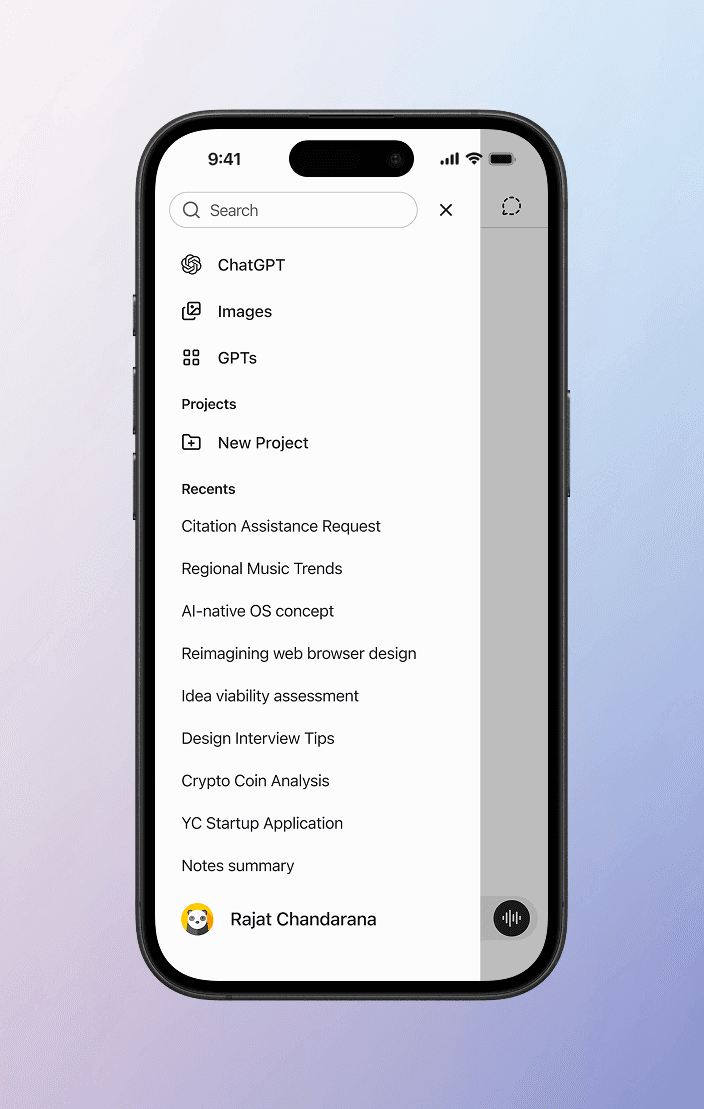
As chats pile up, finding a specific prompt turns into endless scrolling and guesswork.
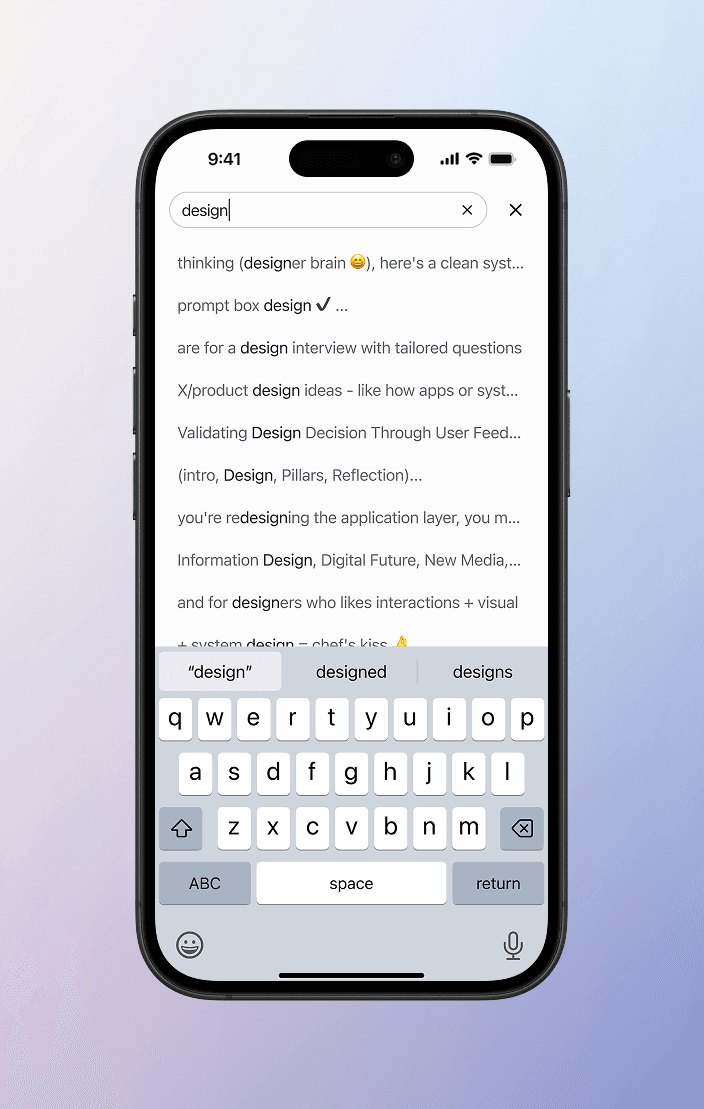
Instead of pinpointing prompts, search returns scattered matches across entire conversations.
A Prompt Library, Native to ChatGPT.
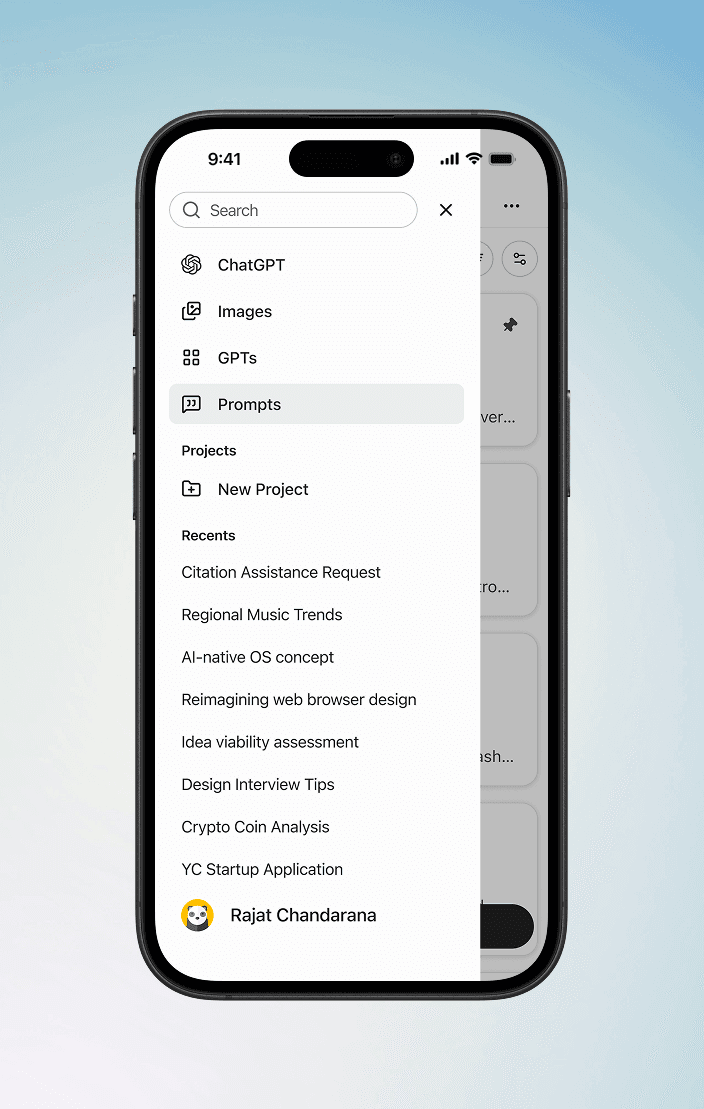
Introducing a dedicated “Prompts” section in navigation helps separate reusable prompts from transient chat conversations.
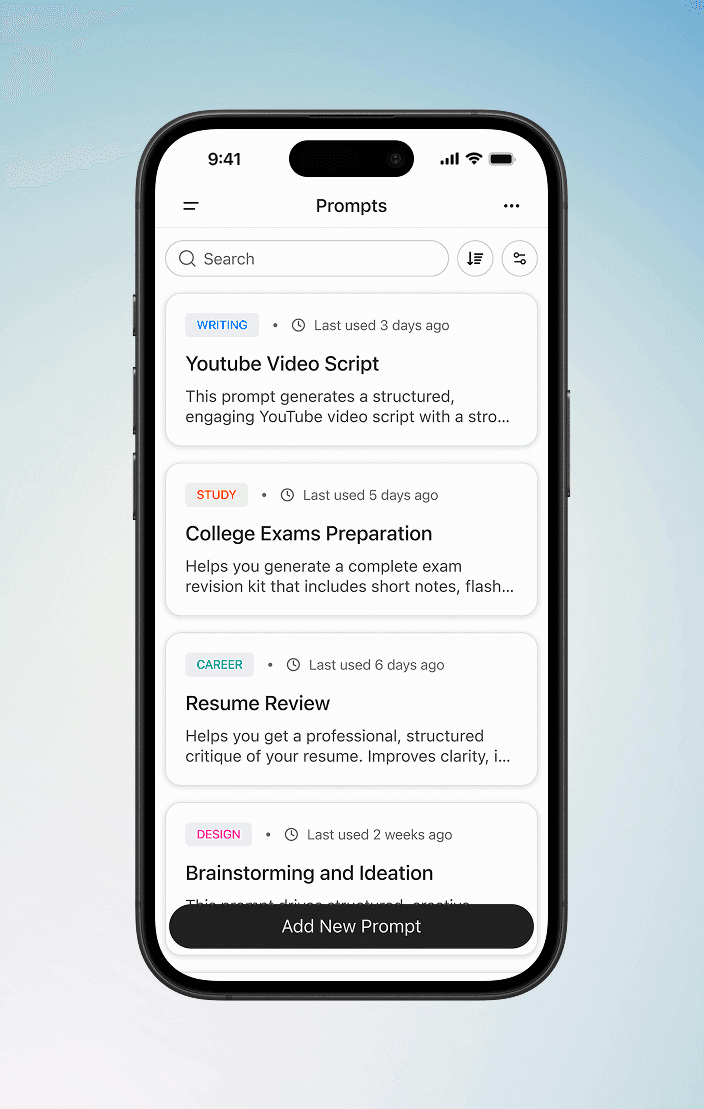
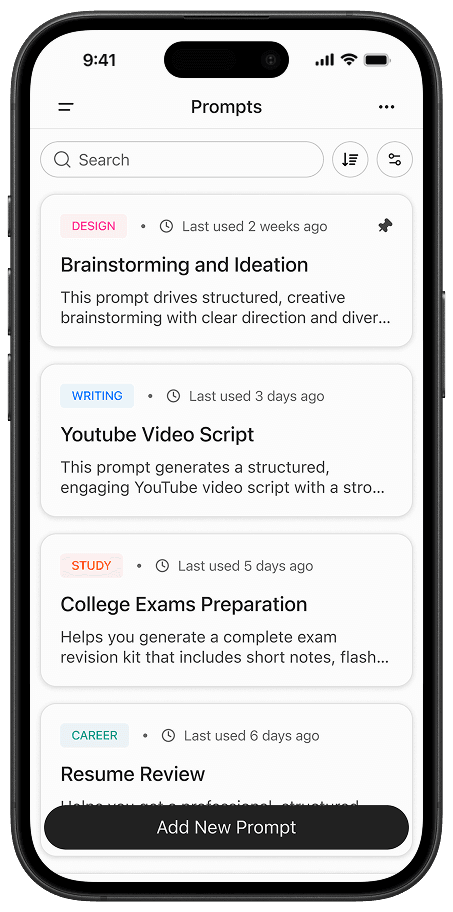
A centralized prompts page allows users to quickly find, organize, and use prompts without digging through chats.
Understanding the Problem Space
I started by exploring articles, community discussions on Reddit and Twitter, and several YouTube videos addressing the same problem. Users were genuinely frustrated and had begun creating their own workarounds using external tools and software.
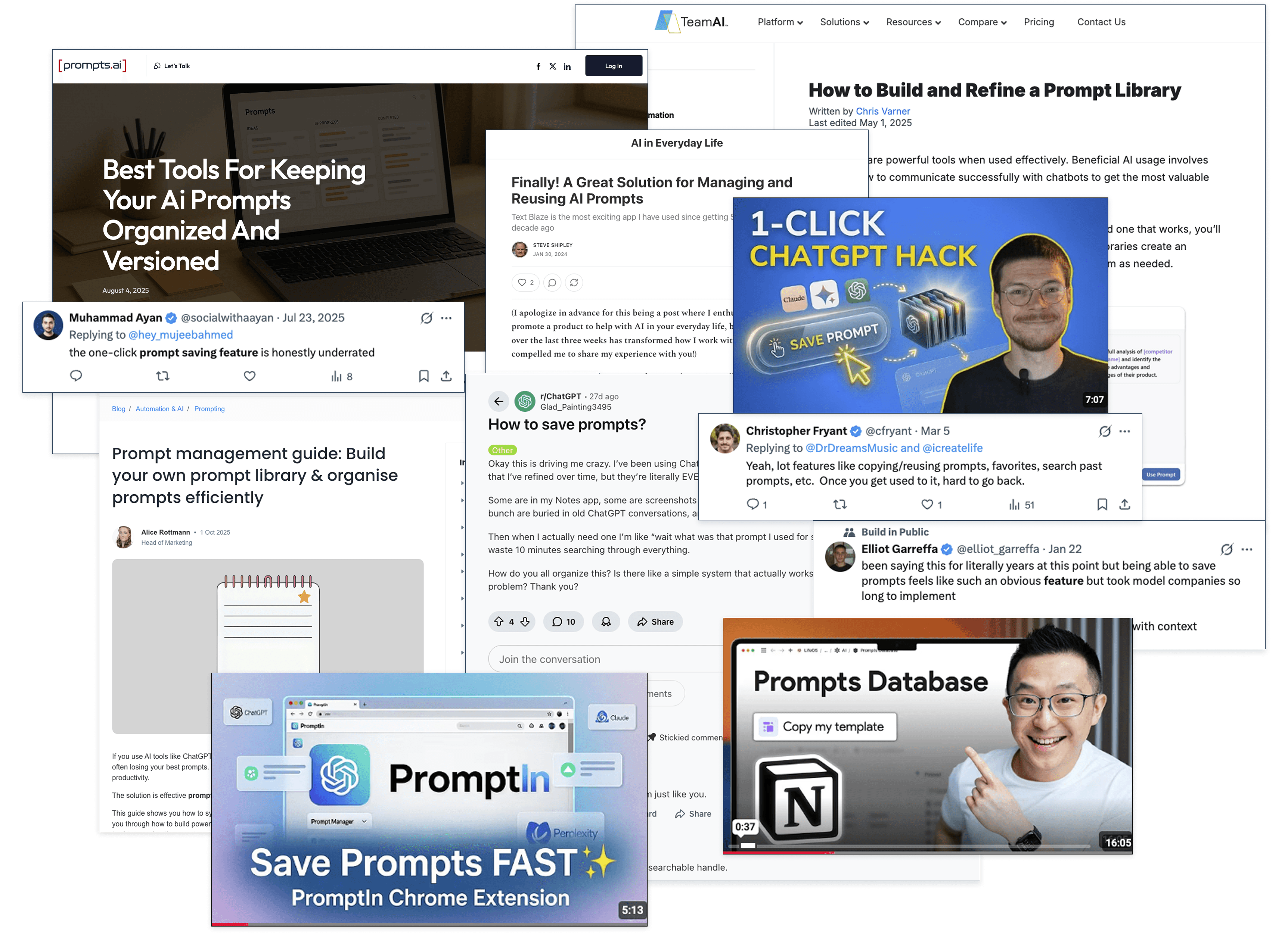
A Closer Look at Competitors and Workarounds
No AI platform has a native prompt library. The gap is category-wide. To fill it, users have turned to other tools like notes apps, knowledge bases, browser extensions etc.
































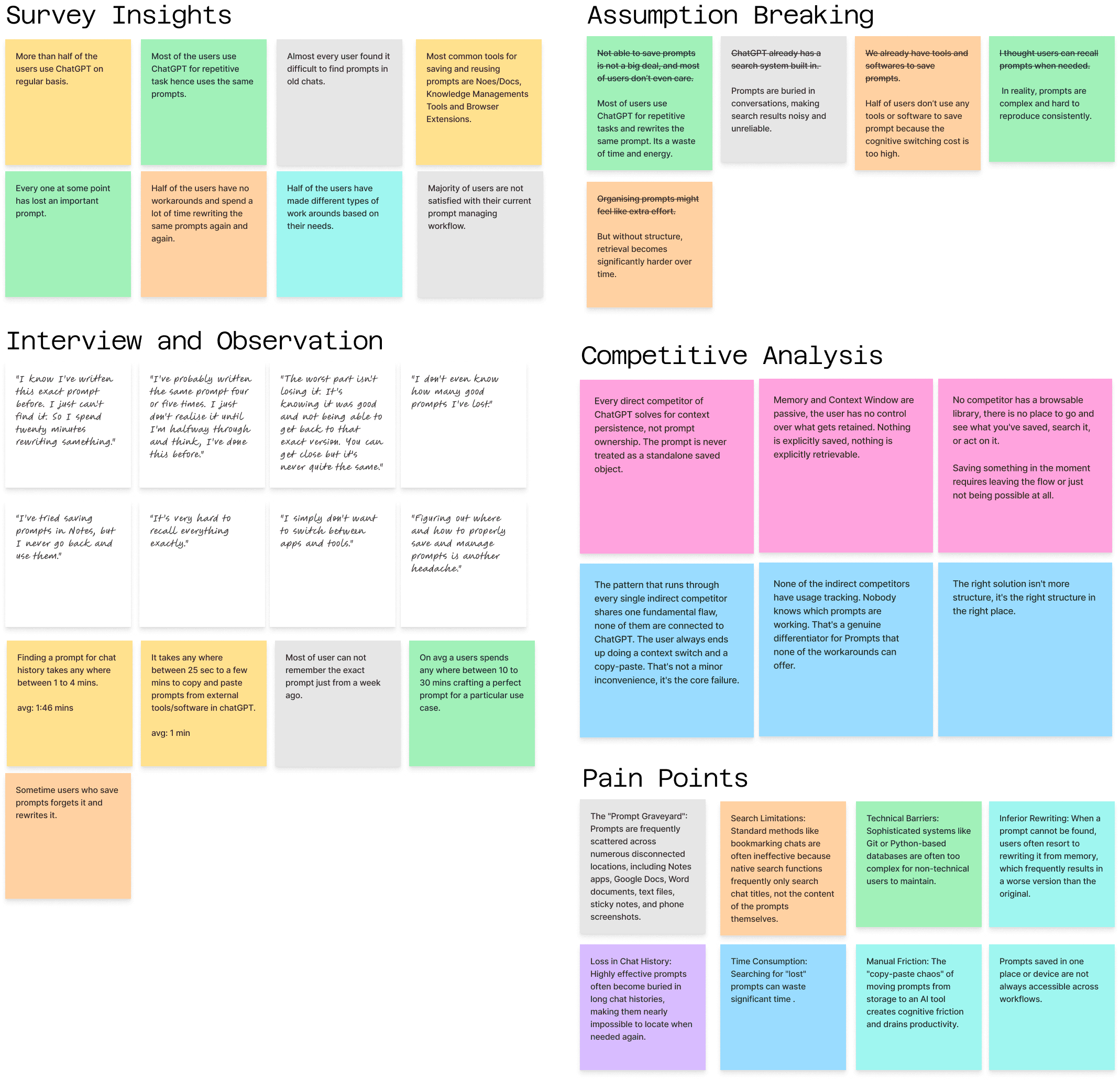
Combining User Interviews and Observation to Uncover Deeper Insights
Connecting the Dots Across Research to Identify Opportunities
Exploring a Wide Range of Ideas Before Narrowing Down
I generated multiple concepts to explore different approaches to the problem. This helped in evaluating trade-offs and selecting the most effective direction.
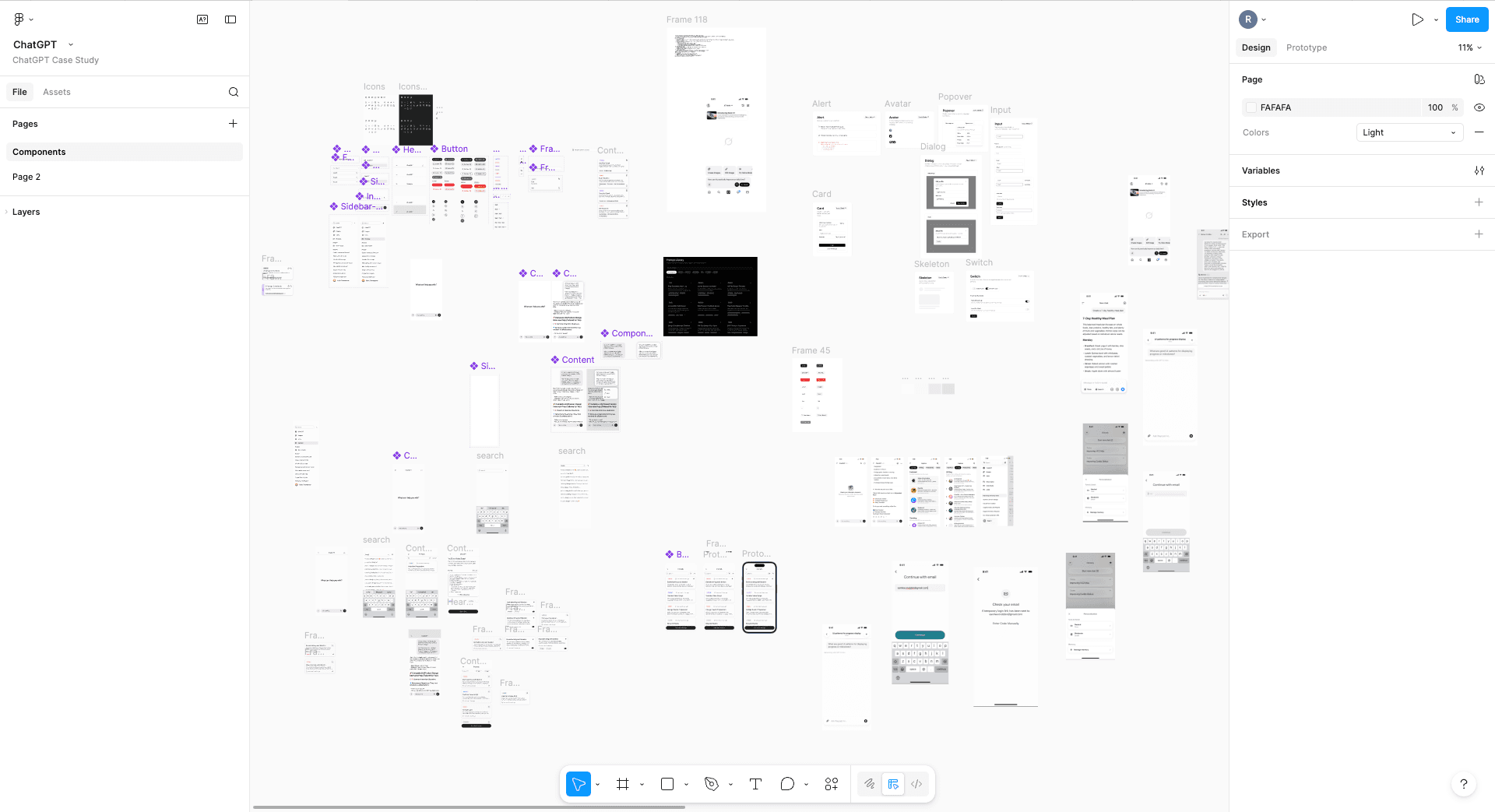
Identifying the Most Intuitive Way to Bring this Feature to Life
I tested multiple approaches to understand how this feature could feel native to the product. The aim was to keep it intuitive, discoverable, and easy to adopt.
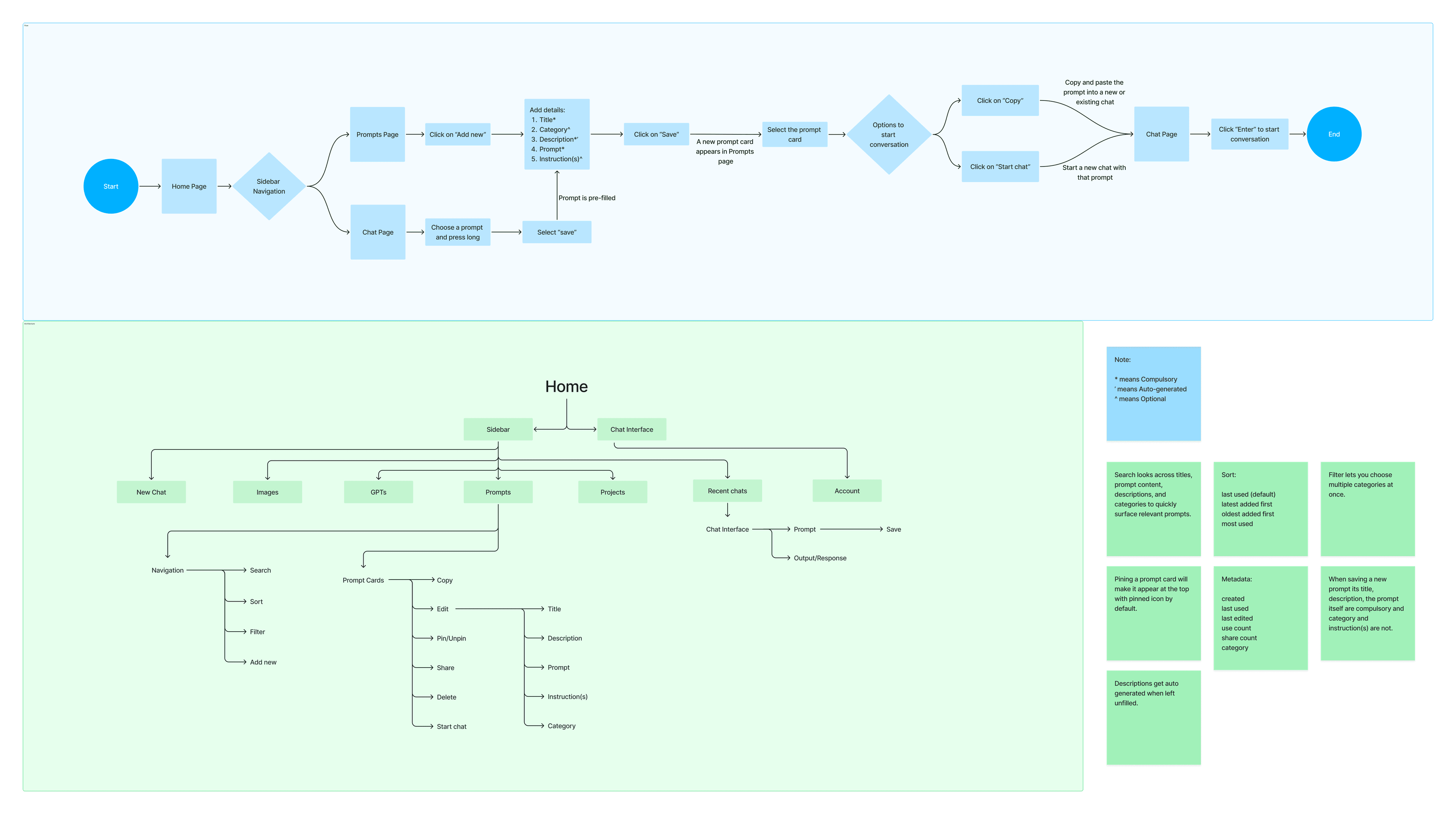
Core Features
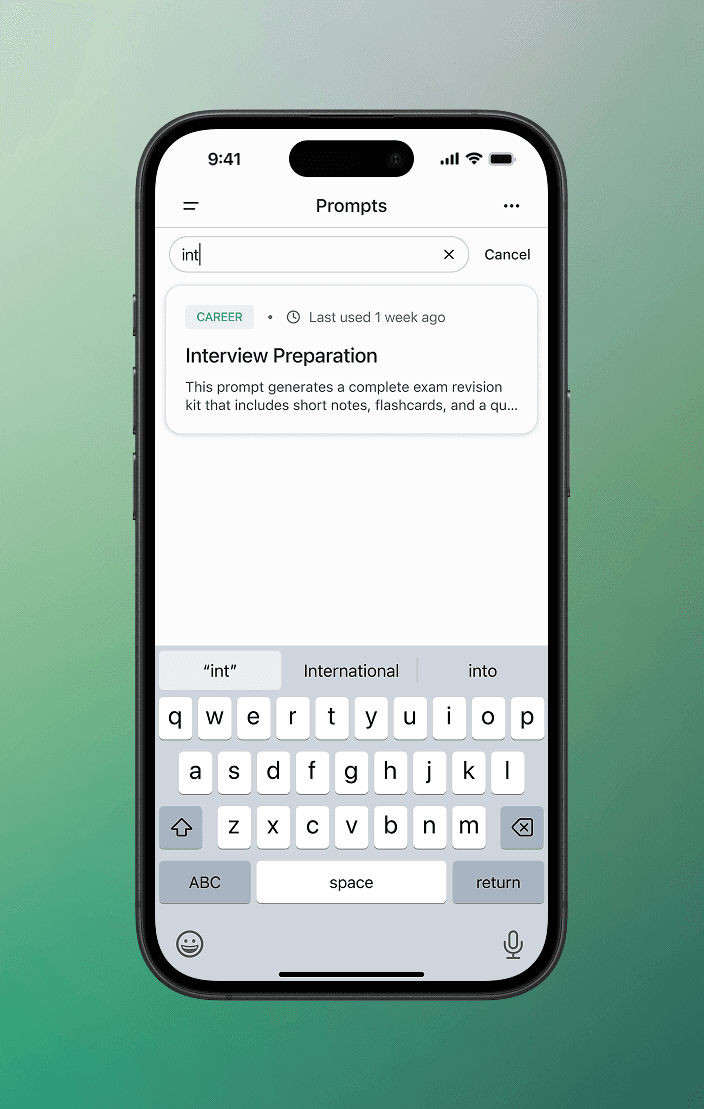
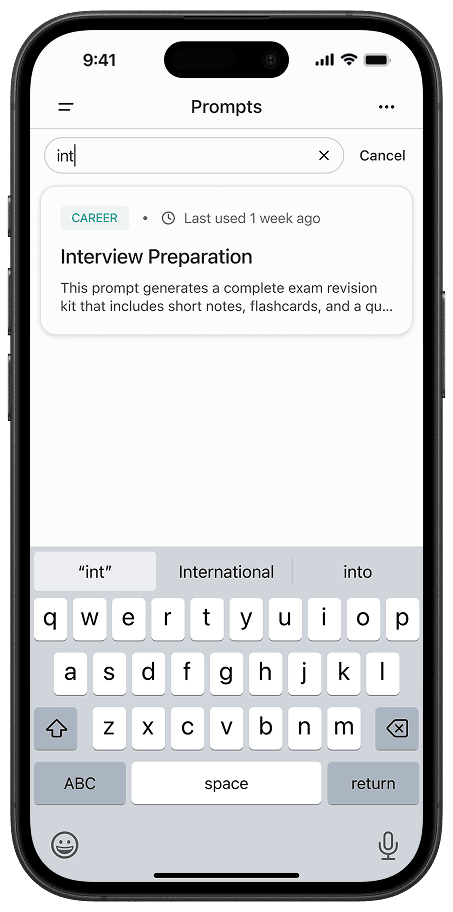
Search surfaces relevant prompts instantly by matching keywords across titles, descriptions, prompts, and categories.
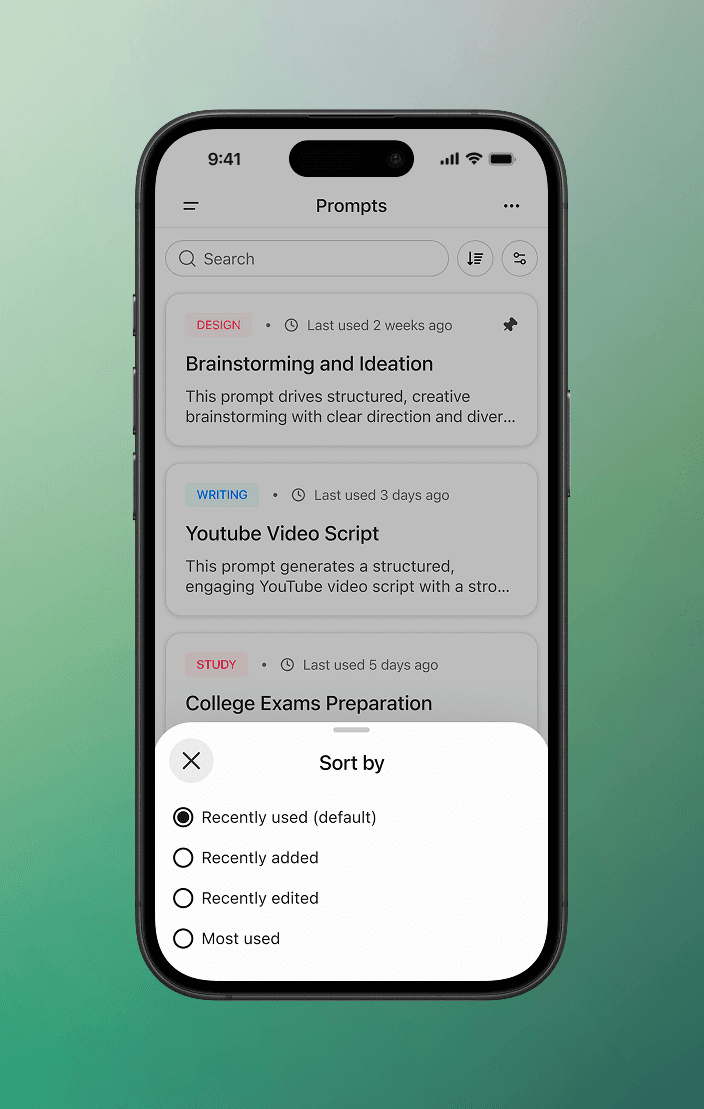
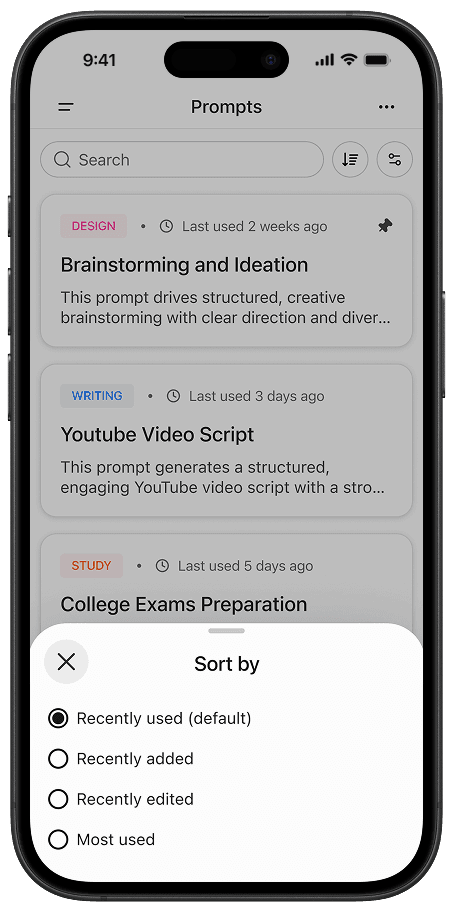
Sorting allows users to organize prompts based on usage, helping them quickly find what's most relevant.
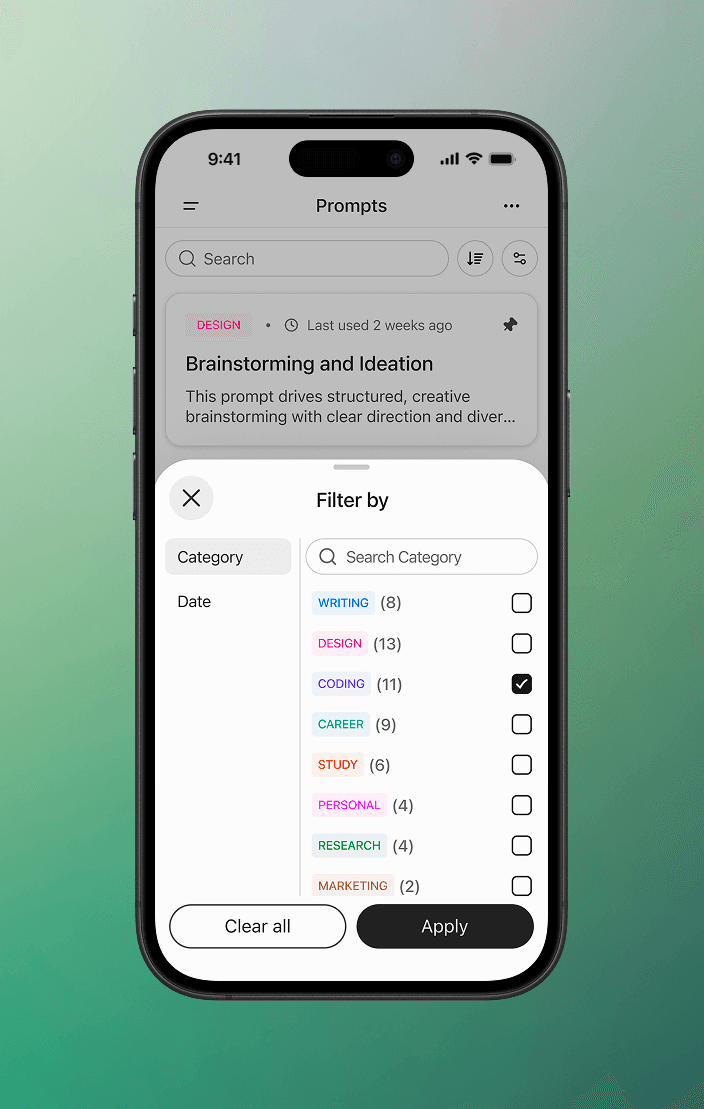
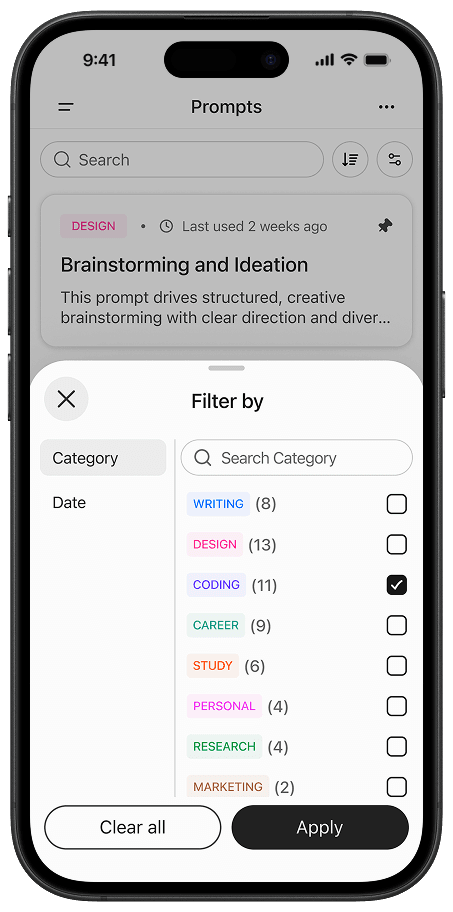
Filters help narrow down prompts by category and date created, making it easier to focus on relevant results.
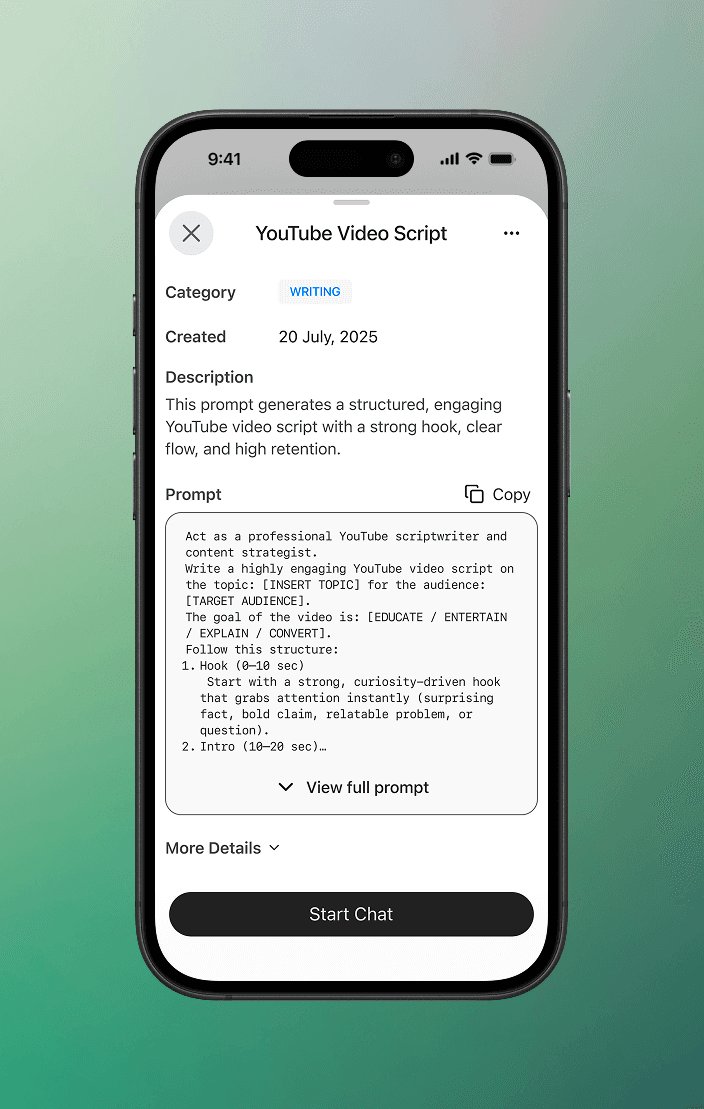
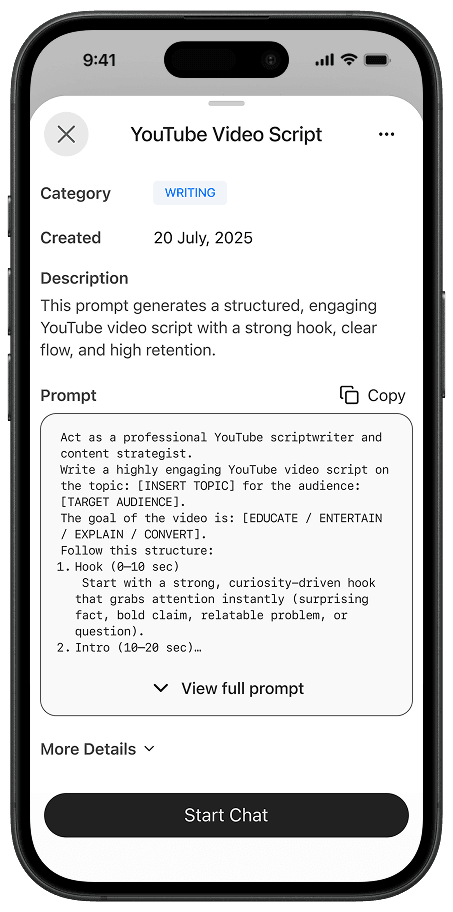
A detailed view of the prompt with key information and quick actions to copy or use it instantly.
Testing the Prototypes With Users
I got users to try these prototypes, observed how they used them, how they felt, and got tons of valuable feedback.
Iterating with Feedback
I kept iterating on the design based on feedback, constantly refining what worked and what didn't. Each round helped simplify the experience and make the flow more intuitive and easy to use.
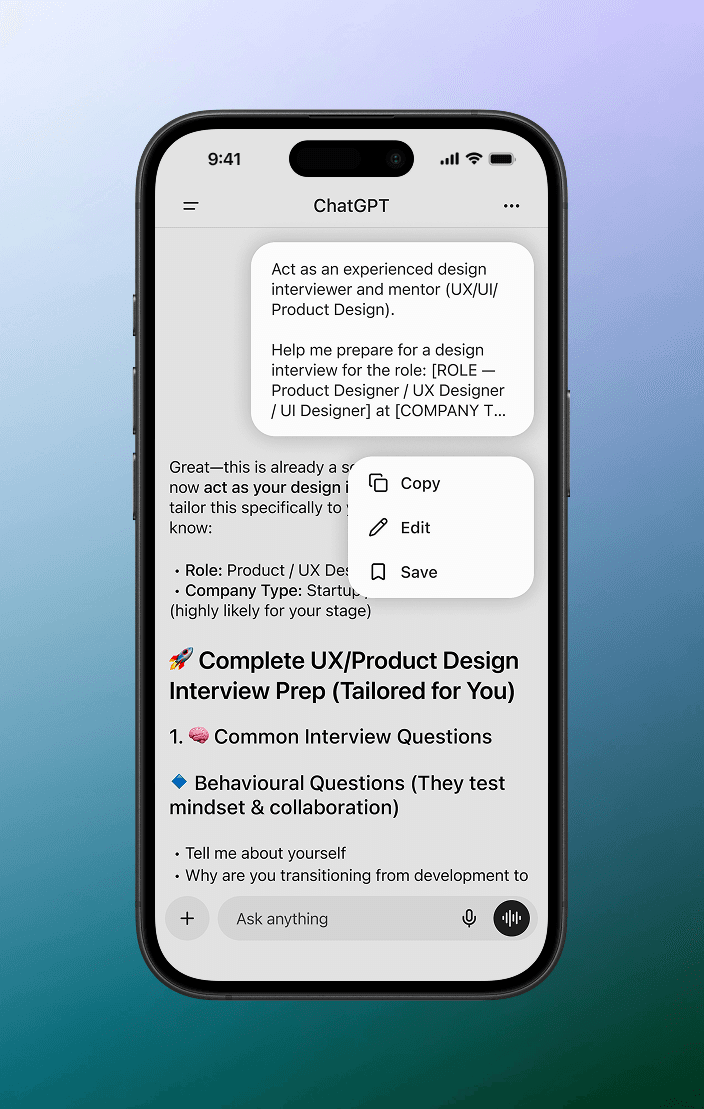
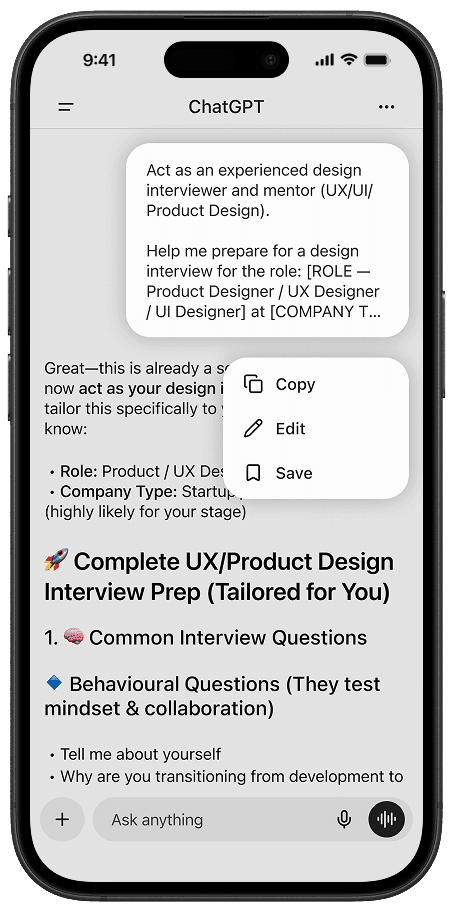
Prompts can be saved with a single click directly from chats.
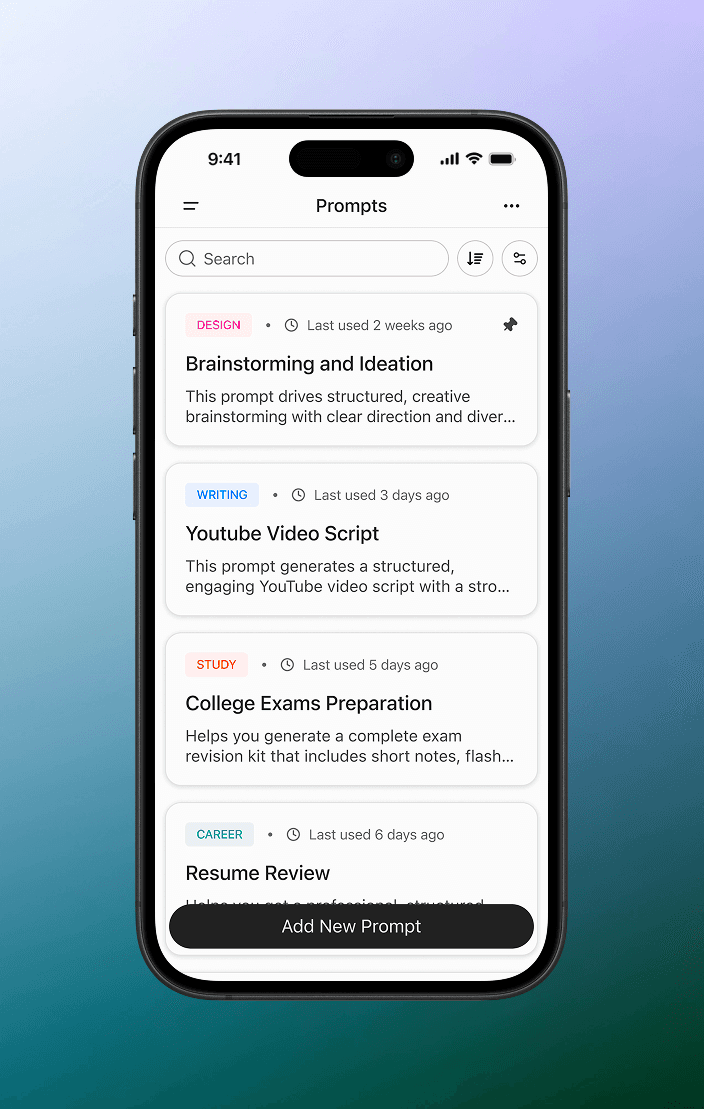
Prompts can now be pinned and will surface on the top.
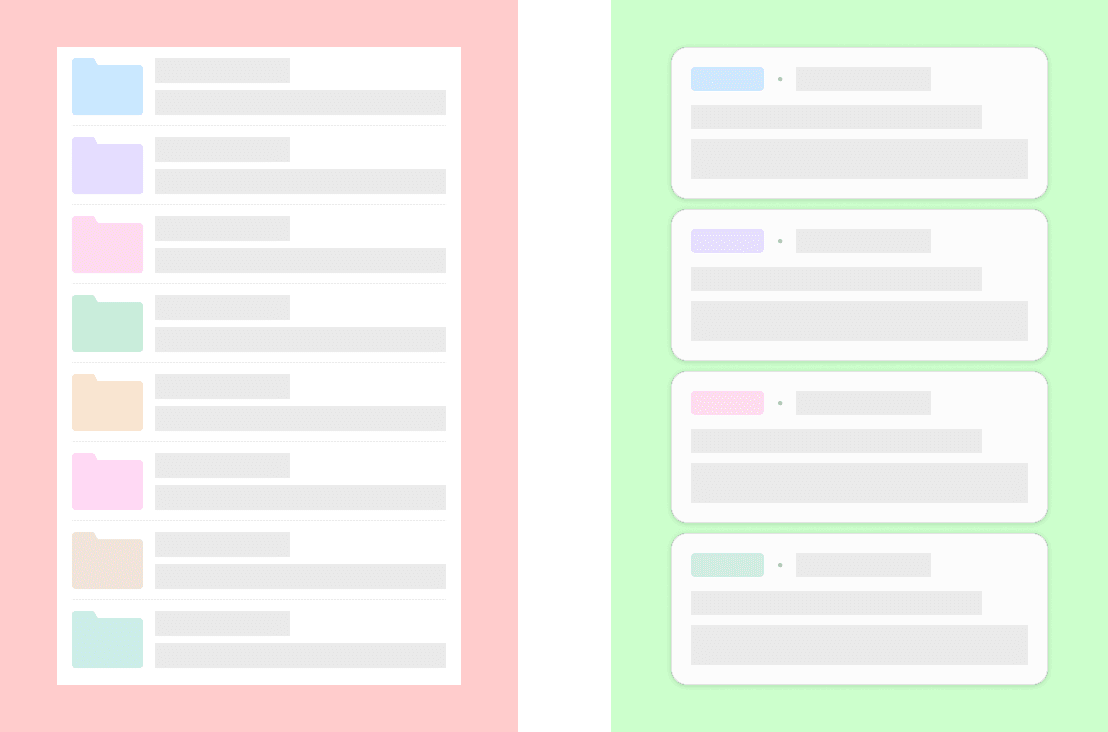
Trade-offs: No folders. A flat library instead.
The instinct when designing any kind of personal library is to reach for folders. They're familiar, they feel organised, and most users have a mental model for them already.
What I Learned
Start with the user, not the solution.
I started this project with a solution already in mind. A folder structure, screens half-sketched in my head. The problem wasn't what I thought it was, and the users weren't who I assumed. The research didn't just refine the direction, it replaced it.
The problem you can't see is the one that matters most.
Half the users had no workaround, no system, nothing to point to. Just repeated effort, quietly accepted. That kind of loss is invisible until you watch someone experience it in front of you.